


Download Windows Boot Genius – Free Bootable Recovery Tool for Windows, Mac, and USB
Windows Boot Genius by Tenorshare is a powerful, all-in-one system recovery software designed to help users fix boot issues, recover lost data, reset passwords, and restore system partitions. Whether you're dealing with a Blue Screen of Death, corrupted Windows startup, or accidental file deletion, this reliable tool provides a secure, easy-to-use solution. With support for creating bootable CDs, DVDs, and USB drives, it gives you full control over your system recovery process.
The software is compatible with Windows, Mac, and USB flash drives, making it a versatile tool for any user. Its intuitive interface and step-by-step guidance make it accessible even for beginners. Whether you're a home user, IT professional, or business administrator, Windows Boot Genius ensures your system stays resilient and your data safe.
Download this essential recovery software today and take full command of your PC’s recovery needs.
Key Features of Windows Boot Genius
Windows Boot Genius stands out in the crowded field of system recovery tools due to its comprehensive feature set and user-centric design. One of its standout features is the ability to create a fully bootable recovery media—CD, DVD, or USB drive—using just a few clicks. This bootable drive becomes your lifeline when your Windows system fails to start, allowing you to bypass the corrupted OS and access powerful recovery tools directly from the boot environment. The software supports multiple operating systems, including Windows 10, 11, 8, 7, and even older versions, ensuring broad compatibility across devices.
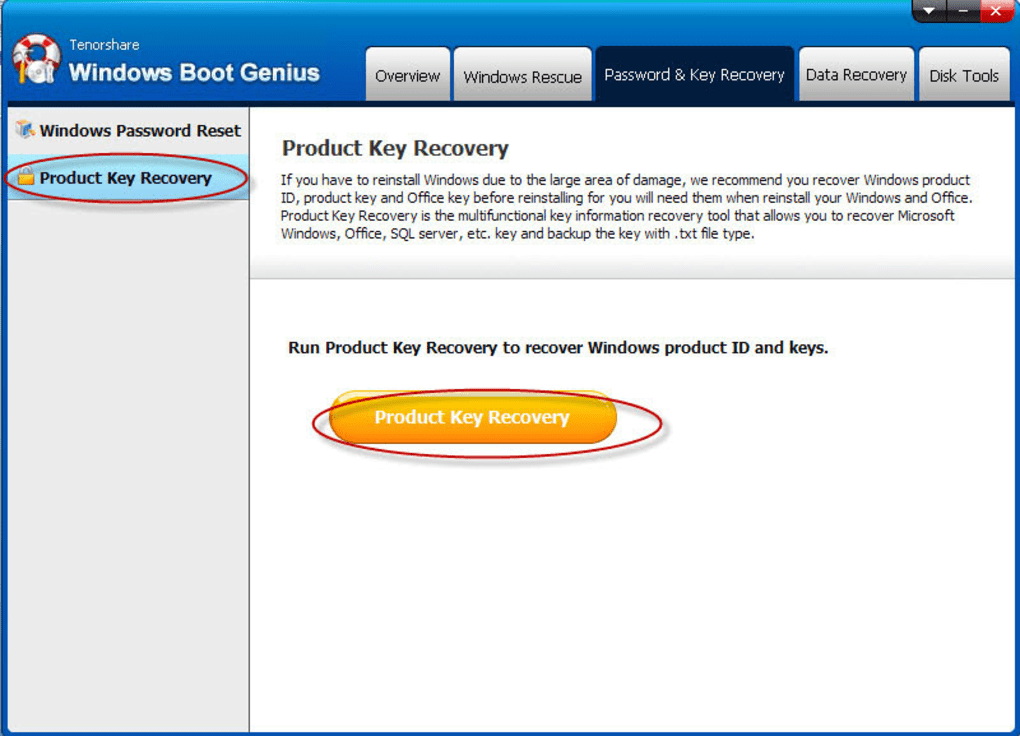
Another major advantage is its robust Password & Key Recovery module. If you’ve forgotten your Windows login password or need to retrieve a lost Microsoft product key, this tool can quickly scan your system and recover the credentials. This is especially useful for businesses and individuals managing multiple licenses. The Data Recovery feature is equally impressive—it can restore files from formatted drives, corrupted partitions, or even after a system crash. Whether it’s photos, documents, or videos, the software uses advanced algorithms to scan and recover lost data with high success rates.
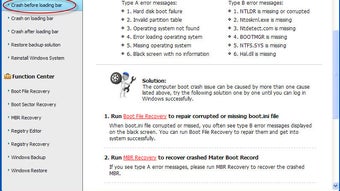
Additionally, the Disk Tools section offers partition management, disk formatting, and cloning options, making it a complete system maintenance suite. The Windows Rescue module helps repair boot sectors, rebuild BCD (Boot Configuration Data), and fix MBR (Master Boot Record) issues—common causes of startup failures. All tools are accessible from a single, clean interface, and the software includes detailed instructions for each step, ensuring users never feel lost during critical recovery operations.
How to Install and Use Windows Boot Genius
Installing and using Windows Boot Genius is straightforward, even for users with limited technical knowledge. First, download the software from the official Tenorshare website. The installation process is quick and requires minimal system resources.
Once installed, launch the application and select the “Create Bootable Media” option. You’ll be prompted to choose your preferred media type—CD/DVD or USB flash drive. Ensure you have a blank disc or a USB drive with at least 4GB of free space.
Next, the software will automatically download the necessary recovery ISO image and prepare it for burning. The process takes only a few minutes. After burning, you’ll be guided through configuring your computer’s BIOS/UEFI settings to boot from the newly created device. This typically involves pressing a function key (like F2, F12, or Del) during startup to enter the boot menu and selecting your CD/DVD or USB drive as the primary boot device.
Once booted, the Windows Boot Genius interface appears, offering four main recovery categories: Windows Rescue, Password & Key Recovery, Data Recovery, and Disk Tools. Each section includes step-by-step wizards to guide you through the recovery process. For example, if you’re facing a boot failure, choose Windows Rescue and follow the prompts to repair the boot configuration. If you’ve lost a password, use the Password & Key Recovery tool to scan and retrieve it. The software also supports advanced recovery scenarios like RAID reconstruction and system image restoration, making it a complete recovery solution.
Compatibility and System Requirements
Windows Boot Genius is designed to be highly compatible across different platforms and hardware configurations. It supports a wide range of operating systems, including Windows 10, 11, 8.1, 8, 7, Vista, and XP. This ensures that both modern and legacy systems can benefit from its recovery tools. The software is also compatible with Mac computers, allowing users to create bootable recovery media on macOS using a USB drive.
For hardware compatibility, Windows Boot Genius works with standard CD/DVD burners and USB 2.0/3.0 ports. It supports most external drives and flash drives, provided they are formatted in FAT32 or NTFS. The minimum system requirements include a processor of 1GHz or higher, 1GB of RAM (2GB recommended), and at least 500MB of free disk space for installation. A stable internet connection is required for downloading the recovery ISO and updating the software.
Importantly, the tool does not require the target system to have an active Windows installation to function. This means you can use it even if your hard drive is completely corrupted or the OS is unbootable. Whether you're working on a desktop, laptop, or server, Windows Boot Genius adapts seamlessly to your needs. It’s especially valuable for IT departments managing multiple workstations, as it allows for consistent, secure recovery across all devices.
Pros and Cons of Windows Boot Genius
- Pros:
- Creates bootable recovery media for CD, DVD, and USB drives
- Comprehensive recovery tools for boot issues, data loss, and password recovery
- Easy-to-use interface with guided step-by-step recovery wizards
- Supports multiple Windows versions and Mac systems
- Advanced data recovery algorithms with high success rates
- Secure and reliable—no malware or bloatware included
- Regular updates ensure compatibility with new Windows versions
- Cons:
- One-time purchase required (no free version available)
- Requires a blank disc or USB drive for media creation
- Advanced features may be overwhelming for absolute beginners
- Higher price point compared to some free alternatives
- Limited support for Linux-based systems
Frequently Asked Questions (FAQ)
Can I use Windows Boot Genius on Mac?
Yes, Windows Boot Genius is compatible with Mac computers. You can use a Mac to create a bootable USB drive with the software, which can then be used to recover Windows systems on any PC.
Is Windows Boot Genius free to download?
The software can be downloaded for free, but full access to recovery features requires a paid license. There is no fully free version with all tools unlocked.
How do I create a bootable USB with Windows Boot Genius?
Launch the software, select “Create Bootable Media,” choose USB as the target, insert a blank USB drive, and follow the on-screen instructions. The software will automatically download and burn the recovery ISO.
Can it recover files after a hard drive format?
Yes, Windows Boot Genius includes a powerful Data Recovery module that can retrieve files even after a drive has been formatted or partitioned.
Does it work on Windows 11?
Absolutely. Windows Boot Genius fully supports Windows 11 and provides tools to fix boot issues, recover data, and reset passwords on the latest operating system.
Final Verdict and Call to Action
Windows Boot Genius is a top-tier system recovery tool that delivers on its promise of reliability, versatility, and ease of use. Whether you're dealing with a failed boot, lost password, or deleted data, this software provides a secure, comprehensive solution. Its ability to create bootable recovery media and access powerful tools from outside the OS makes it indispensable for both casual users and IT professionals.
While it’s not free, the investment is well worth it—especially considering the potential cost of data loss or system downtime. With regular updates, strong compatibility, and a user-friendly interface, Windows Boot Genius stands out as one of the most trusted recovery tools available.
Download Windows Boot Genius today and take control of your system’s recovery—before the next crash happens.







